Exhibitor Posts
Real-time exhibitor storytelling that boosts discovery and conversions. One-attachment-per-post keeps the feed clean, previews stay reliable, and moderation remains simple.
Overview
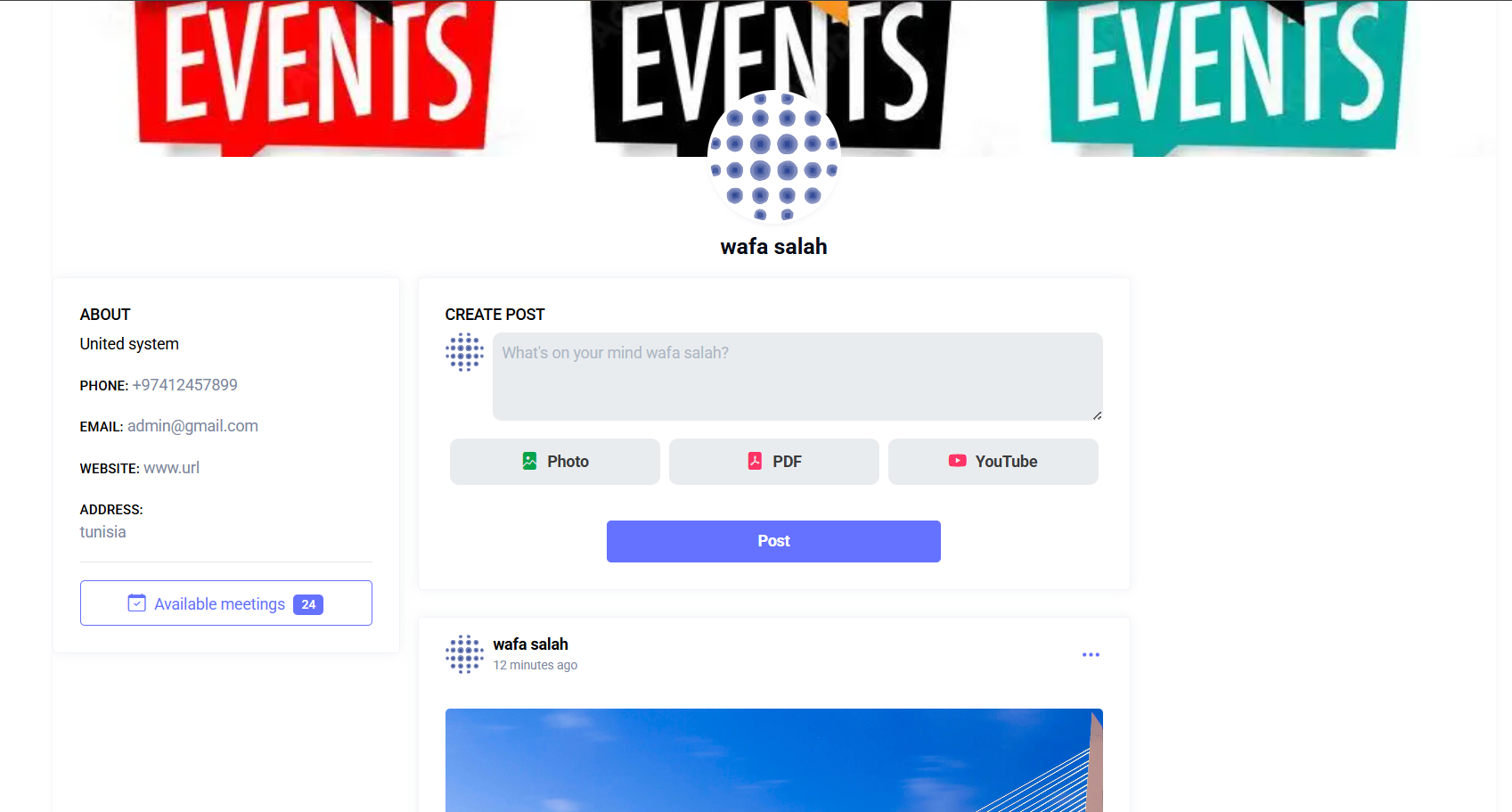
Publish exhibitor updates with images and videos on their public profile.
Interface Preview
Quick Start
- Go to Exhibitors > Posts.
- Compose a post with media.
- Publish to the exhibitor profile.
Who this is for
- Exhibitors: publish and manage their own profile updates.
- Event Admins: moderate or remove posts if needed.
Permissions
- Create post:
exhibitor-post.create - Delete post:
exhibitor-post.delete
If you do not see the Create Post card, request the proper permission.
Workflow at a glance
- Open your Public Profile page.
- Locate the Create Post card at the top of the feed (if authorized).
- Add text and/or select one attachment type.
- Preview automatically (image/PDF/YouTube).
- Click Post to publish.
- Scroll feed to view latest posts (newest first).
- Use post menu (three dots) → Delete to remove if needed.
Create Post Form
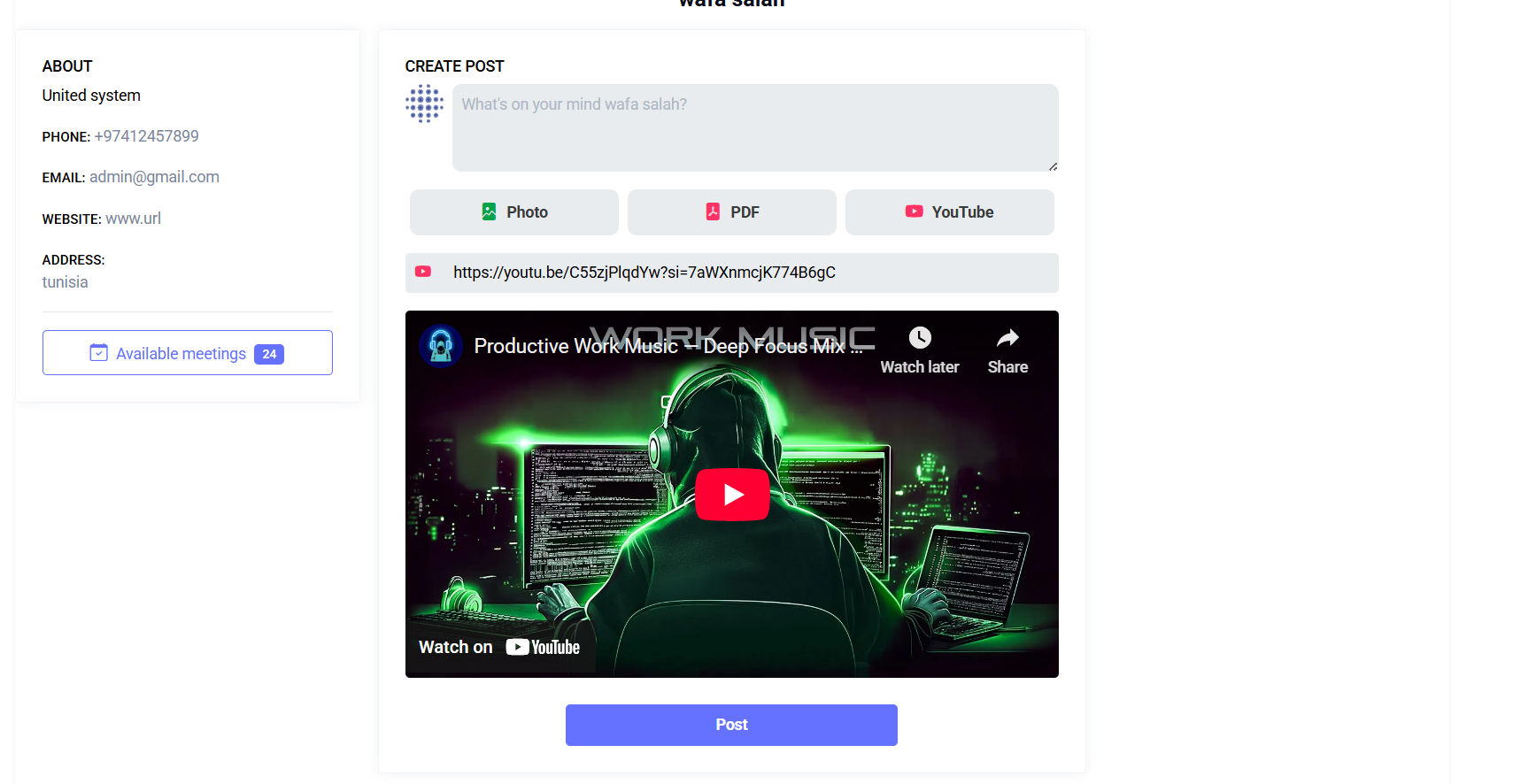
Elements:
- Description (textarea)
- Photo button (image selector)
- PDF button (file selector)
- YouTube button (toggles link input field)
- Post submit button
Attachment Mutual Exclusivity:
- Only one of Image, PDF, or YouTube link can be attached per post.
- Selecting one clears the others to avoid conflicts.
Preview Behavior:
- Image: inline thumbnail
- PDF: file icon + name (embedded viewer appears in feed after publish)
- YouTube: embedded player preview when a valid link is detected
Inputs & Validation
| Field | Rules | Notes |
|---|---|---|
| Description | optional string max ~65k | Can be empty if an attachment is provided |
| Photo | optional image jpeg/jpg/png/webp max 8MB | Converted to WebP (quality ~70) server-side |
| optional PDF max 8MB | Stored as original PDF | |
| YouTube Link | optional valid URL | Must match a YouTube pattern (watch/share/shorts/embed/youtu.be) |
Required Content Rule:
- At least one of: Description OR Photo OR PDF OR YouTube link must be present.
- Otherwise: error message "Please provide at least one content to post." appears.
Server-Side Enforcement (conceptual):
description: nullable|string|max:65535photo: nullable|image|mimes:jpeg,jpg,png,webp|max:8192 (KB)pdf: nullable|file|mimes:pdf|max:8192 (KB)youtube_link: nullable|url
Processing & Storage
| Type | Storage Path | Additional Handling |
|---|---|---|
| Image | posts/{user_id}/images/img_TIMESTAMP.webp | Re-encoded WebP (quality ~70) |
posts/{user_id}/pdfs/pdf_TIMESTAMP.pdf | Stored directly | |
| YouTube | (no file) | Video ID extracted for embed |
| Text-only | (no file) | Path remains null; type=text |
On deletion: stored image/PDF file removed. YouTube/text posts have no file to remove.
Feed Display
Each post shows:
- Author avatar + name
- Relative timestamp (e.g., "3 minutes ago"), hover shows exact server time & timezone
- Description (if present)
- Attachment block (image/PDF embed/YouTube player)
- Dropdown menu (if user can delete)
Ordering: newest first. Pagination: base pagination (5 per page) enhanced with infinite scroll for seamless browsing.
Delete a Post
- Click post menu (three dots).
- Choose Delete and confirm (no undo).
- Success message appears; post removed from feed.
Files associated (image/PDF) are deleted from storage to save disk space.
Troubleshooting
| Issue | Cause | Action |
|---|---|---|
| Create Post card missing | Missing permission or not owner | Request exhibitor-post.create; verify profile ownership |
| "Please provide at least one content" | All fields empty | Add text or attach media |
| Image rejected | Wrong type or >8MB | Use jpeg/jpg/png/webp under size limit |
| PDF rejected | Non-PDF file or >8MB | Upload valid PDF under size limit |
| YouTube preview not showing | Unsupported or malformed link | Paste full watch/share/shorts URL |
| Duplicate content attempts | Multiple attachments chosen | Only select one type; UI auto-clears others |
| Slow image loading | Oversized original | Compress before upload (e.g., 1200px width) |
Tips
- Keep descriptions short and action-focused.
- Prefer optimized images (compressed) for faster loading.
- Use PDF for brochures, spec sheets, or long-form docs.
- YouTube is ideal for demos or testimonials—avoid autoplay heavy links.
- Plan a content cadence (e.g., 1–2 posts per event day) to stay visible.
Suggested Video Walkthrough (Placeholder)
Replace with videos/exhibitor-posts-user-story.mp4 once recorded.
Summary
Exhibitor Posts enable quick, multimedia updates to engage attendees via the profile feed—supporting text, images, PDFs, and YouTube embeds with straightforward validation and deletion controls.
Last updated: 2025-11-12