Guests
Your single source of truth for people data. Guests drive emails, badges, tickets, and check-ins—with safe merges, tagging, and an audit trail for every change.
The Guests module is the core directory of people associated with an event: registrants, imported contacts, manually added entries, ticket buyers, promoted invitees (RSVP), and generated attendees from successful orders. It centralizes profile data, registration form answers, tags, ticket links, workshop enrollments, check‑in status, and communication history.
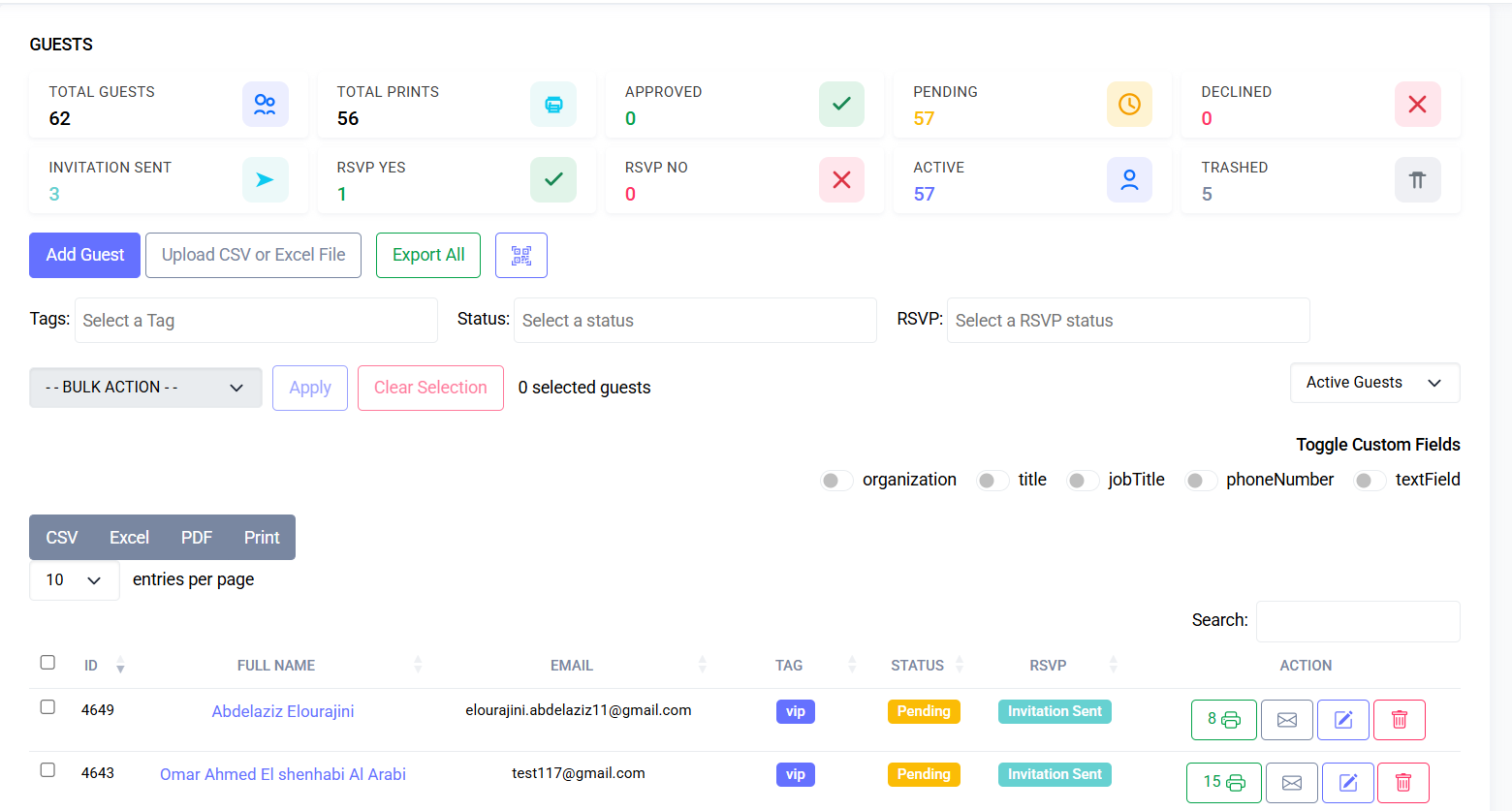
Interface Preview

Quick Start
- Go to Events > Guests
- Create or import guests
- Use tags and filters to segment
Stats Cards
Top-of-page cards summarize key metrics for the current event:
- Total Guests: all guest records for the event (excluding trashed)
- Total Prints: badge print actions (may include multiples)
- Approved / Pending / Declined / RSVP Yes / RSVP No / Active / Trashed
Notes:
- Counts reflect the selected event
- Filters do not alter cards; refresh page after major changes
- Visible only to users with guest view permissions
- Cards are informational; not interactive
Core Concepts
| Concept | Description |
|---|---|
| Guest Record | Individual tied to an event (scoped per event) |
| Status | pending / approved / rejected / waitlisted / archived |
| Form Data | JSON from registration form(s) |
| Tags | Segmentation labels (VIP, Staff, Sponsor, Speaker) |
| Tickets | One or more ticket lines granting access |
| Workshops | Optional seat reservations |
| Check-In | Attendance flag with timestamp(s) |
Status Lifecycle:
- Pending: awaiting review
- Approved: active, allowed badge/email/ticket issuance
- Rejected: excluded from normal communications
- Waitlisted: holding until capacity frees
- Archived: historical retention; excluded from active filters
Interface Layout
| Region | Purpose |
|---|---|
| Toolbar | Filters, bulk actions, export/import, column config |
| Table | Paginated guest rows with key fields |
| Side Drawer / Modal | Detailed profile + form answers |
| Bulk Panel | Selection count & permitted operations |
Default Columns:
- Name (First + Last)
- Status
- Ticket Type(s)
- Tags
- Check-In
- Created At
- Actions (View / Edit / Approve / Reject / Delete / Impersonate if allowed)
Filters
| Filter | Notes |
|---|---|
| Status | Multi-select (e.g., approved + pending) |
| Ticket | Narrow by ticket type(s) |
| Tag | One or many tag IDs |
| Registration Date | Range picker |
| Country | Derived from form/profile |
| Workshop | Guests enrolled in a specific session |
| Check-In State | Checked / Not Checked |
Workflow
1. View & Search Guests
- Navigate to Guests
- Use global search (name/email) or advanced filters
- Adjust columns as needed
2. Add a Guest Manually
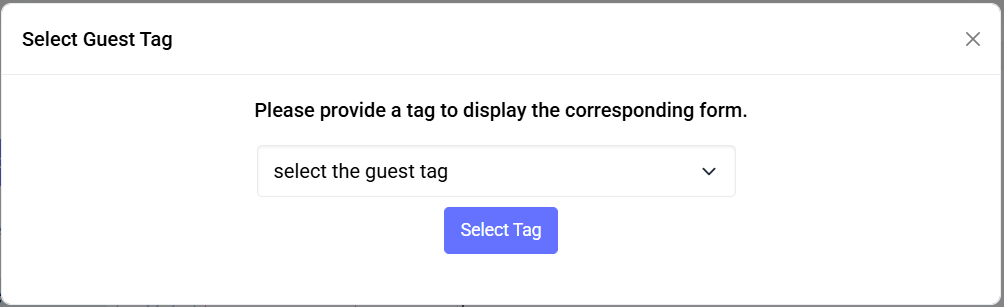
- Click Add Guest
- Fill minimal fields: first_name, last_name, email
- Optionally assign ticket & tags
- Complete required dynamic form fields if applicable
- Save → Status set (Pending or Approved)
3. Review Pending Guests
- Filter by Status: Pending
- Open profile → review form answers
- Approve or Reject
4. Bulk Tag Assignment
- Select guests via checkboxes
- Click Assign Tags
- Choose tags → Confirm
5. Edit Guest Profile
- Click row or action menu → Edit
- Update personal fields, form answers, ticket associations
- Save triggers audit log
6. Import Guests
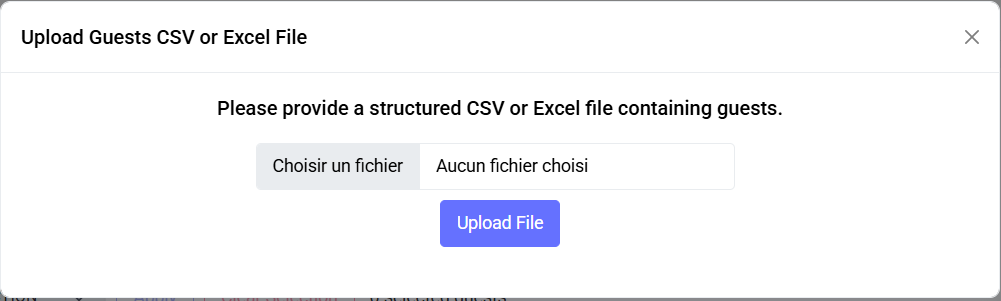
- Click Import
- Download template
- Required columns: first_name, last_name, email
- Upload → field mapping → Preview
- Confirm import → Background job handles large sets
Import Validation:
| Rule | Behavior |
|---|---|
| Duplicate Email | Skip or update per import mode |
| Missing Required Field | Row flagged/excluded |
| Invalid Ticket Code | Imported without ticket |
| Unknown Tag Name | Optionally auto-create |
7. Export Guests
- Click Export → Choose format (CSV/XLSX)
- Respects current filters
- Large exports queued; download link provided
8. Check-In Visibility
- Column shows primary check-in timestamp
- Multiple scans viewable in detail
- "Undo Check-In" available to authorized roles
9. Workshop Enrollment
- Guest drawer → Workshops tab
- Add/remove enrollments → Save
- Waitlist indicator if session full
10. Merge Duplicates
- Select duplicates → Merge
- Choose master → Consolidate data
- Secondary record archived/deleted
11. Delete / Archive
- Archive preferred to maintain history
- Hard delete restricted
User Processes
A. Manual Add – add guest → assign ticket/tags → save → check status
B. CSV/XLSX Import – upload → map fields → validate → import
C. Moderation – filter pending → approve/reject/waitlist → optional note
D. Tagging – multi-select → assign tags → confirm
E. Ticket Linking / Editing – guest → Tickets tab → add/change → save
F. Workshops Enrollment – guest → Workshops tab → add → save
G. Day-of Check-In – scan or mark manually; undo if authorized
H. Export Guests – filters/search → Export → download link
I. Merge Duplicates – select → Merge → review → confirm
J. Archive/Delete – archive preferred; delete restricted
K. Communications – resend confirmation, bulk emails, automated triggers
CSV Import Reference
- File types: CSV, XLSX; UTF-8; headers required
- Required columns: first_name, last_name, email
- Optional: ticket_code, tags, country, company, title, custom_*
- Example row:
Data Model (Conceptual)
| Table | Key Fields |
|---|---|
| guests | id, event_id, first_name, last_name, email, status, formio_data, created_at |
| guest_tag | guest_id, tag_id |
| guest_ticket | guest_id, ticket_id, quantity |
| workshop_registrations | guest_id, workshop_id, status |
| checkins | id, guest_id, scanned_at, gate_id, user_id |
Permissions
| Action | Permission |
|---|---|
| View Guests | guest.view |
| Create Guest | guest.create |
| Edit Guest | guest.edit |
| Approve / Reject | guest.moderate |
| Import Guests | guest.import |
| Export Guests | guest.export |
| Assign Tags | guest.tag.assign |
| Undo Check-In | guest.checkin.undo |
| Merge | guest.merge |
| Archive | guest.archive |
Edge Cases
| Scenario | Strategy |
|---|---|
| Duplicate email (case-insensitive) | Normalize to lowercase |
| Bulk import partial failure | Commit valid rows; report errors |
| Ticket capacity reached mid-import | Remaining rows flagged |
| Workshop capacity race | Use row-level locking or retry |
| Merge conflicts in form fields | Keep non-empty; log differences |
Performance Considerations
- Index guests on (event_id, email), (event_id, status), (event_id, created_at)
- Lazy decode heavy form JSON
- Server-side pagination & filtering
- Cache tag counts for sidebar filters
Best Practices
- Approve daily to maintain confirmations
- Tag early for segmentation
- Use import mode “update existing” for refresh
- Avoid hard deletes
- Keep form fields consistent across events
Troubleshooting
| Issue | Resolution |
|---|---|
| Guest not appearing | Check event context & filters |
| Cannot approve | Check permissions / event status |
| Import stuck | Queue worker offline; check logs |
| Tag not assignable | Tag archived or scoped elsewhere |
| Duplicate guest created | Enable duplicate prevention / email normalization |
| Export empty | Filters too restrictive |
| Check-In not recording | Offline or permission missing; retry |
Security & Privacy
- PII protected under access controls
- Export actions logged (who + when)
- Deleted/expired guests may be redacted
Future Enhancements
- Smart duplicate detection
- Real-time import validation
- Bulk workflow rules (auto-approve by domain)
- Guest activity timeline
- GDPR anonymization scheduler
Last updated: 2025-11-03