Preferences
Quick Links
📌 Why Preferences?
Accurate time, locale, and personal toggles prevent misreads across dashboards, emails, exports, and scan times—your view matches your reality.
The Preferences section allows each user to personalize their experience, such as setting timezone, locale, and optional advanced features.
Interface Preview
Quick Start
- Open Profile > Preferences.
- Choose your timezone and other available options.
- Click Save to apply changes.
Key Features
- Select timezone and locale
- Beta feature opt-ins (if enabled)
- Personal API token generation/revocation (if enabled)
Workflow
1. Set Timezone
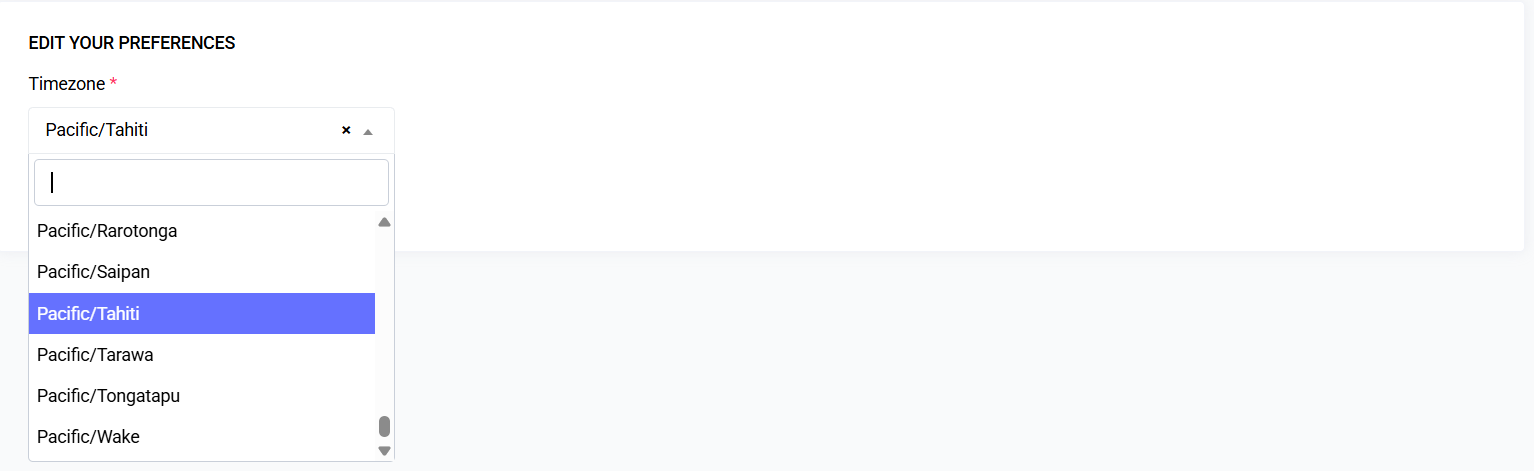
- Choose your preferred timezone from the dropdown (pre-filled from browser or system default).
- A preview shows current event start/end in the selected timezone (if an active event exists).
- Click Save or continue editing other preference groups.
Screenshot Placeholder: Timezone Selector
2. Save Changes
- Click the primary Save button (top or bottom).
- On success: a toast/alert confirms changes.
- Validation errors highlight specific fields for correction.
3. Advanced Preferences (Optional)
| Feature | Notes |
|---|---|
| Beta Feature Opt-Ins | Enables early access to experimental modules |
| API Personal Token | Generate or revoke personal API token (if enabled) |
Permissions
Most preferences are scoped per user and require authentication.
Advanced options (Beta toggles, API tokens) may require user.advanced.preferences permission.
Validation & Edge Cases
| Scenario | Behavior |
|---|---|
| Invalid timezone submitted | Fallback to previous value; displays an error message |
Data Handling
- Stored in
user_preferencestable (columns:user_id,key,value) or JSON column. - Ephemeral values may be cached for performance.
Performance Notes
- Preferences cached per user to avoid repeated database reads.
- Cache automatically invalidates on save.
- Visual changes (theme/density) render instantly via CSS variables.
Best Practices
- Set your timezone before performing time-sensitive tasks.
- Review preferences after major platform updates to confirm default values.
Troubleshooting
| Issue | Resolution |
|---|---|
| Preferences not saving | Check session validity and CSRF token |
| Wrong time display | Confirm selected timezone and system clock integrity |
| Cached values not updating | Clear browser cache and reload page |
Future Improvements (Planned / Potential)
- Cross-device sync indicators
- Multi-profile presets (Work vs On-site)
Last updated: 2025-10-01